
API Access for Centralized EX Register Reporting
Integrate hazardous area inspection statistics, inspection coverage, failed equipment and compliance KPIs directly into your corporate dashboards, BI tools and digital plant systems.
Why Operators Use the EXREG API
EXREG API Access gives operators and digitalization teams a clean, centralized way to pull EX register statistics across sites-into their own dashboards, BI tools, and reporting workflows.
Centralized visibility (multi-site)
Pull consistent KPIs from every EXREG register your organization runs—ideal for operators rolling up site compliance into one view.
Digitalization-ready outputs
Feed your existing data stack: Grafana dashboards, Power BI reports, internal portals, or data lakes—without exporting spreadsheets.
Actionable compliance signals
Surface “what needs attention” instantly: overdue / missing inspections, failed items, and location-based concentration of issues.
Integrations
Bring EXREG statistics into the tools your organization already uses. Most operators start with a live operational dashboard (Grafana) and a management reporting layer (Power BI)
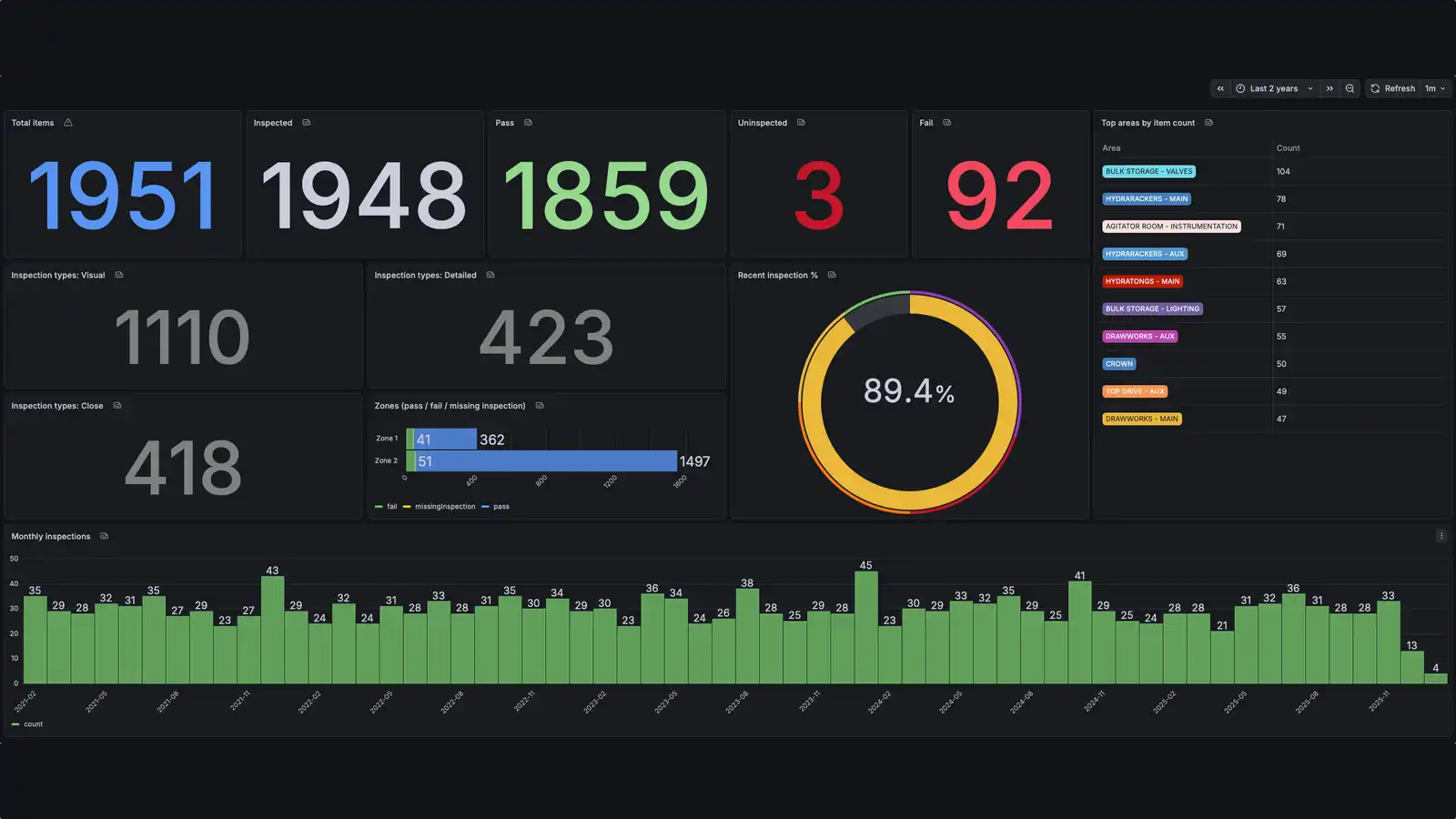
Grafana
Perfect for centralized operations visibility: fleet/site KPIs, inspection coverage trends, failure hotspots and drill-down by location.
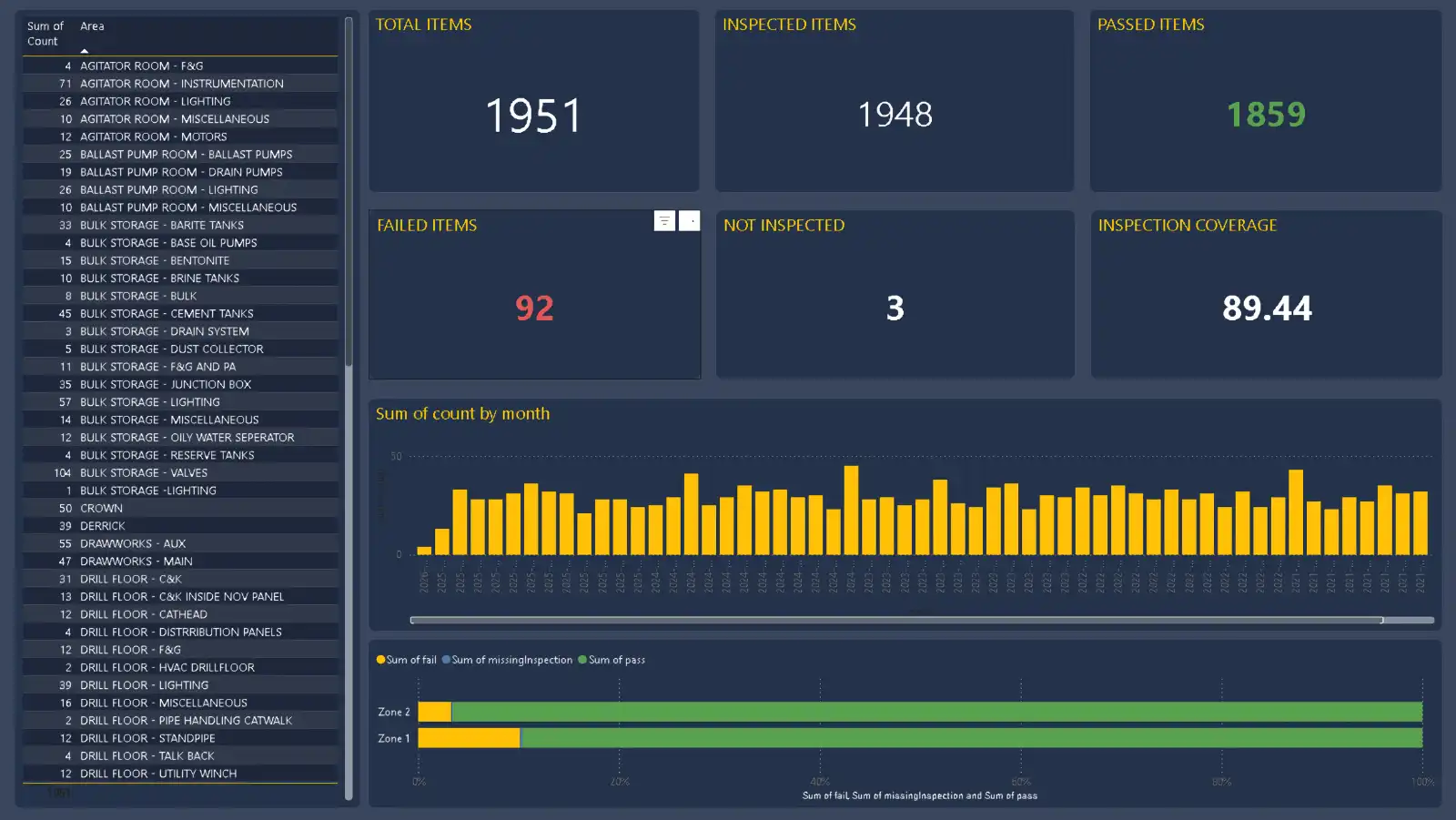
Power BI
Ideal for leadership reporting: monthly compliance packs, overdue inspections, failure rates and contractor performance summaries.
Statistics available for you to monitor
Designed for operations, integrity and HSSE reporting—fast KPIs with drill-down by site, area and status
KPI Total equipment items
Count of assets
KPI Inspection coverage
Inspected vs. total
KPI Failed items
Open failures
KPI Missing / overdue
Items due / missing
Types Inspection types
Detailed / Visual / Close
Areas Counts per area
By location / area
Results Status distribution
Pass / Fail / Due
Zones Know your zones
Zone inspection counts
How to get API access
API access is enabled per register/site and delivered as a secure reporting key. We keep it simple so your team can build dashboards fast.
Tell us which sites you want to report on
Share the register(s), reporting audience (Ops / HSSE / management) and the KPIs you need.
We enable reporting access
We activate a read-only reporting scope and provide a dedicated API key for your organization.
Connect Grafana / Power BI and publish
Use the endpoints to build your dashboards. If you want, we can provide a recommended KPI layout.
Built for Operators & Digitalization Teams
If you’re standardizing compliance reporting across sites, the API gives you one clean interface to EXREG data.
Security & governance
- Dedicated API keys per customer / site
- Read-only reporting scopes available
- HTTPS encrypted communication
- Optional audit logging of API activity
- Rate limiting available on request
Frequently asked questions
Quick answers for operators building centralized dashboards and reporting.